Error: "This version of trusted storage is not supported..." appears when trying to activate HyDraw CAD license
When I try to activate HyDraw CAD license, the below error message appears:
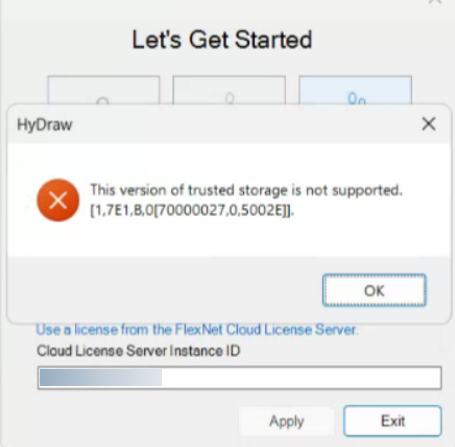
To resolve the issue, follow the steps below:
To resolve the issue, follow the steps below:
- Close HyDraw CAD completely.
- Goto: C:\Users\Public\Documents\VEST\Embedded\HyDrawCAD\
- Find the folder named NC and delete it.
- Re-open HyDraw CAD again.
- Enter the license ID in the image shown above.
- Click Apply to activate the license.
- Check if the activation is successful.
Possible Cause of the Issue:
- This error originates from the FlexNet licensing system used by HyDraw CAD and indicates a mismatch or corruption in the local Trusted Storage (license cache) on the system.
- FlexNet stores license details in a secure local repository called Trusted Storage.
- The error appears when the version of the stored license data does not match the version required by the currently installed licensing components.
- The main cause is an incompatible or corrupted FlexNet Trusted Storage version, often triggered by a software update, reinstallation, or damaged license files.
- If the issue occurs again in the future, you may need to repeat the same resolution steps.